The differences between the form factors in the notebook market.
A breakdown of the nomenclature and the design.
By Jeff Belmont
In this article, we'll dig a little deeper on the subject of ultra portable notebooks, netbooks, and conventional laptops.
All bias aside, just about every laptop manufacturer caters to every consumer market - be you an "everyday use" type of end-user or a hardcore gamer, multimedia enthusiast, or some other phile variant. But where consumers may be met with confusion is not just in the phraseology; i.e., notebooks, netbooks, laptops, etc. There can be a world of difference in the hardware and capabilities of one laptop to the next [laptop]. It's because of the idiosyncrasies of the naming that we'll draw some comparisons and contrasts here.
Netbooks:
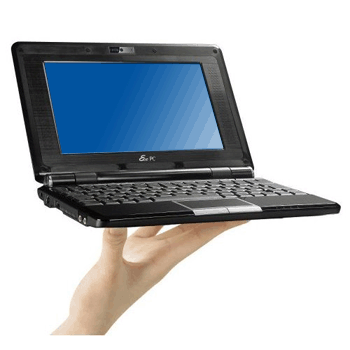
The introduction of netbooks was to serve the purpose of providing a smaller form factor for people on a budget, as well as for those that needed something portable and only required very limited resources for very basic tasks. A good many netbooks utilize the Intel® Atom™ processor (or comparable), 1 - 2 GB of RAM (in some units, up to 4 GB), a modest hard drive (usually 320 GB), WiFi (but no Ethernet LAN), and a 10.1" to 11.6" screen. Many come loaded with a starter edition of Windows® that is very limited, but provides the essentials for everyday tasks (such as Office™® for word processing and spreadsheets). These units are largely considered under powered, however, for anything outside of what's deemed casual use. But their small screens, small size, and light weight make them handy for travel, as well as producing good battery life.
Ultrabooks:
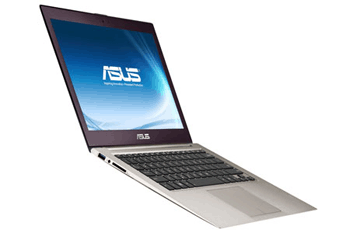
Ultrabooks are somewhat new-ish to the market. One of the earliest contenders was the Macbook Air®, although other manufacturers, such as Asus and Dell, have since entered the market as well. An ultrbook is a step up from a netbook in nearly every regard - larger screen, superior performance capability, nearly - if not, equally - as lightweight, good battery life, etc. But the technology behind ultrabooks makes them marginally more expensive.
Laptops/Notebooks:
There is some debate on the taxonomy between the term "laptop" and the term 'notebook'. Often, they're used interchangeably, and refer to precisely the same thing. Some [vehemently] admonish labeling them one and the same, and instead see notebooks as a slightly more compact counterpart to laptops. There doesn't appear to be any official, definitive standard for the nomenclature that separates the two, but according to various sources, it's safe to say a notebook is a laptop, and a laptop is a notebook.
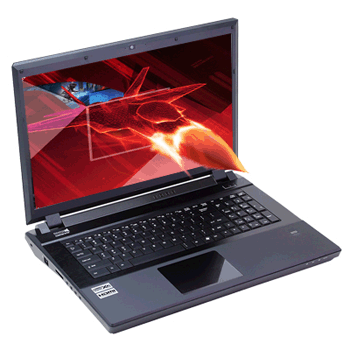
Contrasting laptops against notebooks on the wayside, laptops/notebooks have become the authoritative middle ground for portability and power. Though they still trail behind desktops and server systems in terms of capability, the technology has gained much ground, and your commonplace or high-end laptop can often meet (or at least come close to) the capabilities of a typical or high-end desktop, respectively. This potential comes at a price though, depending on what your needs are, and laptops/notebooks are generally always heavier and clunkier than any ultrabook or netbook. They require the extra headroom to accommodate the extra power, in layman's terms.
And what's even newer to the industry: convertible PCs. These nifty creatures are both a tablet and a notebook rolled into one. Much of the hardware is stored in the display, as per a typical tablet design, but they come with an optional keyboard dock, allowing the best of both worlds (but because of the small form factor of tablets, there's still a compromise in performance).
Notice I only listed general specs for netbooks? That's because ultrabooks and laptops these days come in so many flavors, with many even granting the luxury of piece-by-piece customization (depending on who you purchase from). If you view netbooks as the starting base for performance, then you can always go up from what they offer when looking at ultrabooks and laptops/notebooks.
|