Some General Specifics When Pulling the Trigger on a New System
Just a few things you should know before you rush out to claim your prize
By Jeff Belmont
Purchasing a new computer can be similar to purchasing a car; it really helps to know the basics - and then some - in both what makes your potential purchase tick, as well as apt pricing points for the specs. You can get more bang for your buck if you make a competent assessment, and the only way to do that is to either drag someone along that knows their stuff, or spend some time researching yourself. So for those of you that don't have someone to harangue for buying advice (or maybe you'd simply rather not buy them a drink for it), we'll outline a few things to bear in mind for when you're perusing through options.
Step 1 is to take a moment to consider what you need the laptop for, specifically. Before you come up with a budget, you'll need to determine how much you need out of a new computer; this will then determine your approximate spending limit. After all, if you decide before that your budget is $450 and you want a gaming laptop, well... it's nice to want things, isn't it?
Once you're determined what you'll be using the computer for at least 75% of the time, then you'll want to consider what hardware the laptop will need to meet your requirements. These days, just about any modern system will meet the requirements of common, every tasks (i.e. web browsing, email, online chatting/instant messaging, etc.). But if you have specific demands that require more than a modest computer will provide, consequently, you're bound to spend more. It's good practice to look at system requirements listed for particular products you want to run before shopping around; this may also shape your budget.
 Step 2
 brings us to the fun part; pricing. Much like looking at car inventories or private sellers listings, most people want to get a good deal on a product. You'll need to pore over various manufacturer's and retailers/resellers to ascertain a fair and accurate estimate. Assuming you've assessed your needs, as outlined in Step 1, you may find that particular manufacturer's cater to particular needs, which will help you narrow your search and save some time (for example, you can get a decent, garden variety laptop for many of the major brands, such as Lenovo, Asus, Samsung, MSI etc., but when it comes to high-end units, it's worth it to consider other makes and models, such as Clevo or Alienware).
Skimming over various makes and models will give you a ballpark of what you should pay. You can also look into used units, but be warned! Used units don't always come with a manufacturer's warranty, and if you buy from a private seller, you really want some sort of guarantee to protect your investment - especially if you don't know how to service it yourself (or know someone that will do it for cheap/free).
Once you've adjudicated one (or perhaps more) make(s) and model(s), we come to Step 3: finding the right price.
|
 Step 3: finding the right price. Step 3: finding the right price.
Haggling in the electronics market is not quite what it is in the realm of car shopping, unfortunately. Many manufacturer's don't sell their own product outright, but outsource their product to various retailers and resellers (think of multilevel marketing). Since sellers don't have a huge profit margin (in order to stay competitive and reasonable), you may find that pricing is relatively comparable when you juxtapose apples to apples. This is a reaffirmation that you must consider what you need from the computer in terms of capability and potential first, and then proceed to compare and contrast makes and models.
|
**Note**
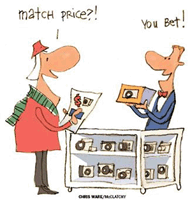
It's worth mentioning that while haggling may not be the same as what it is in automotive transactions, you can often find resellers that will price match an identical product for you. Also, I HIGHLY suggest a reseller, such as ProStar Computer or Sager, over a big box retailer, such as Best Buy, Fry's, or Staples; you are far more likely to get a better price and will almost certainly get better customer dedication from a reseller. Further, the major retailers are inclined to up sell as much as possible - almost vehemently so - to make up for the small profit margin on a computer sale standalone. Don't be duped! The advantageous aspect of buying from a local retailer is the convenience of multiple locations where you can pick the item up, and the satisfaction of having an array of accessories to purchase additionally (although you can almost always find a better deal on the same accessories by shopping for them online as well).
Final Thoughts: To review and summarize: Assess your needs first; let your budget come after you know what you want/need and have compared prices; carefully consider who you buy from, and investigate the manufacturer and computer model. You don't want to be stuck with a lemon.
|