Windows 8 Pro “Upgrade” Pack
by Jeff Delmont
The release of rather anticipated Windows 8 brought about some hype, as well as some confusion. Past releases of Windows offered a full/retail version, which was common and popular among end-users; especially those who were building their own systems or purchasing a computer without an operating system. But since the introduction of Windows 8, there has been some confusion with the different versions and their corresponding EULA (end-user license agreement). In fact, quite a few people have found themselves upset with the new stipulations (perhaps unfounded ones, at that), but may or may not fully understand the rights under the various license agreement terms.
So in an effort to clear the fog, we’re going to take a look at the terms, their corresponding versions, and let users make the decision to tackle Windows 8 head on or not from there. To assist in the publishing and information provided in this article, I was able to sit down with Eddie Yuan, the Sales Coordinator at ProStar Computer Inc.; a custom laptop reseller.
First: The Upgrade Option
Starting with the most prevalent and the most marketed version is the “upgrade” version of Windows 8. For this option, we have two different SKUs that you should bear in mind (thanks goes to Eddie Yuan at ProStar for providing the SKUs).
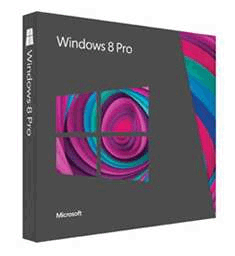
The first is 3UR-00001, which represents the upgrade edition of Windows 8 Pro from Windows XP, Windows Vista, and/or Windows 7.
This SKU denotes a copy of Windows 8 that is strictly an upgrade option, meaning that you cannot install this on a bare system with no previous qualifying version of Windows. You can perform a “clean” install, which users often confuse with a “full” installation. To clear up the nomenclature:
Clean Installation: This refers to installing the operating system – or OS for short – with no previous user data from the OS that is being replaced. If you opt to keep your data, then a “.old” folder is often created that contains the contents that was in the user’s previous Windows user folder. A clean installation simply entails opting out of this so no previous user data is carried over.
Full Installation: A “full” install is often misunderstood as the same as a “clean” install. To be fair, very few distinguish between the two, and even many seasoned technicians will use the terms interchangeably within the same context. But a full installation essentially means installing the operating system onto a bare system with absolutely no existing operating system. It is the essence of installing from scratch, unlike the “clean” install method, which requires an existing OS and uses an upgrade product key/license.
|
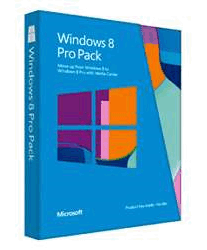
There is also another SKU to address that may trip people up: 5vr-00001. Though nearly identical, this SKU denotes an upgrade from Windows 8 to Windows 8 Pro. Therefore, if you have the “Home” version of Windows 8, and are looking to gain some extra features out of it, you can upgrade to Windows 8 Pro using the upgrade option integrated into Windows 8. Once you’ve purchased a copy of Windows 8 Pro with said SKU (5VR-00001), you attain a license/product key that you may use to install the Pro version.
|
What about full installations?
Alas, while these are viable alternatives, end-users are not the only ones seeking to apply Microsoft’s latest operating system to their computers. Many OEMs have also hopped aboard the Windows 8 wagon. With the variety of consumers on the market, there are also system builder packages and even some full versions (OEM). For a breakdown of the licensing circumscriptions, see Microsoft’s OEM System Builder License page, which contains info on the Personal Use License as well.
|